
How to Make Your App-Controlled Skeleton Talk
Check your model, then set up the 6.5-foot Ultra Skelly in FrightMaps: Bluetooth control, speaker pairing, Live Mode and voice-minute plans.
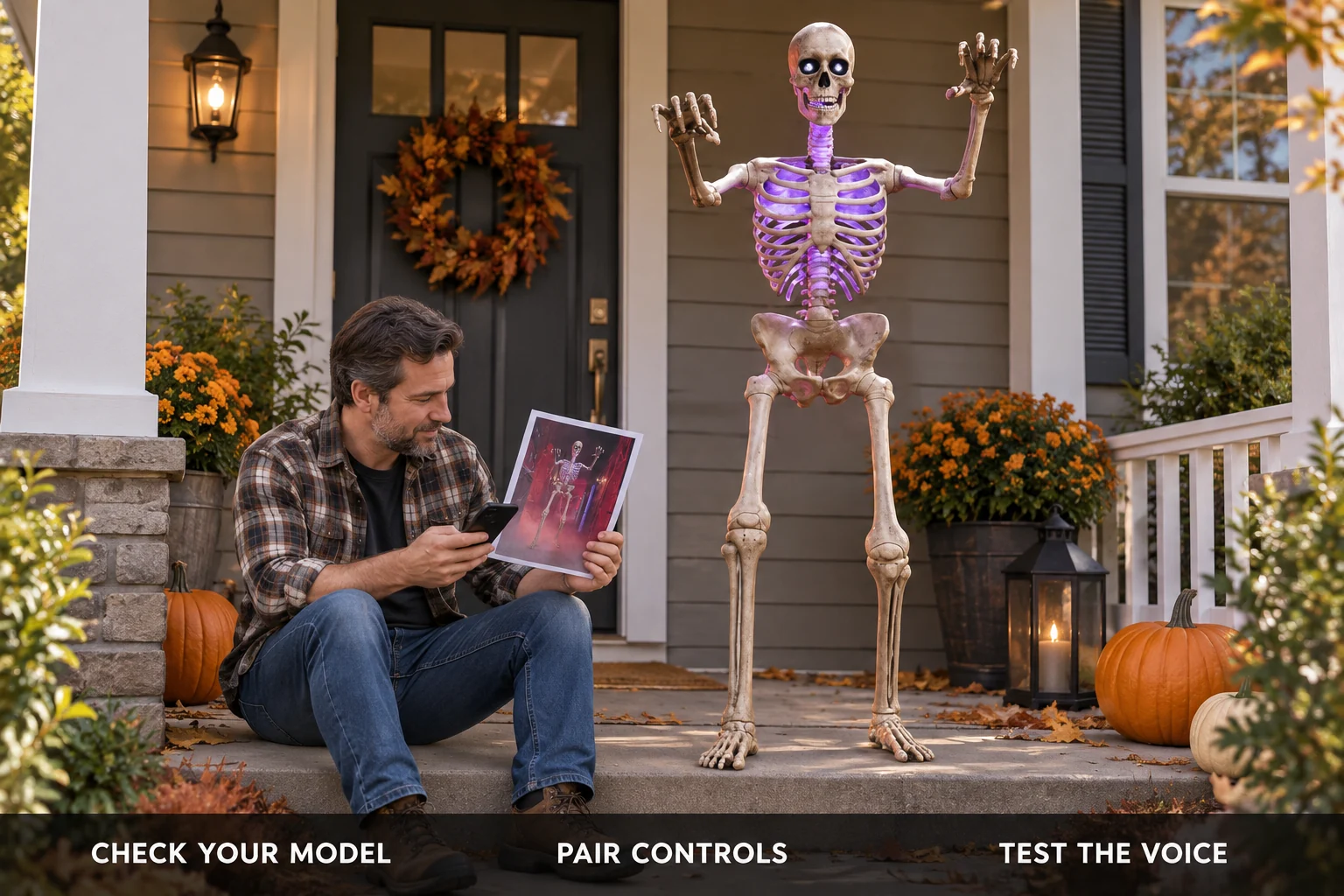
You want your app-controlled skeleton to hold a conversation with trick-or-treaters. This guide covers the 6.5-foot Ultra Skelly setup in FrightMaps, including the separate speaker pairing that is easy to miss. Check the model before following the steps.
Check your model first
The 6.5-foot Ultra Skelly, model 25SV24690, is the Ultra Skelly covered here. FrightMaps has control profiles for SVI Ultra Skelly v2 and the 7-foot Lethal Lily.
The 2026 12-foot App-Controlled Skelly, model 26SV25555, is a different product. Its FrightMaps compatibility has not yet been verified; app control in the manufacturer's app does not establish support in FrightMaps. The classic non-app-controlled 12-foot Skelly has no Bluetooth control link for this setup. Check the model label rather than relying on the height or the Skelly name.
What the app controls
On the 6.5-foot Ultra Skelly, Skelly Studio gives you movement per joint, RGB lights and light modes, 18 eye patterns, volume, battery and storage readouts, the prop's built-in lines, and your own audio clips up to 30 seconds each (Pro). These are Ultra Skelly controls, not a feature list or compatibility claim for the 12-foot model. Lethal Lily uses her own control profile.
The part people come for is the AI character. The skeleton answers as a character you pick or write yourself. The words come from Claude and the voice from ElevenLabs, and it can reply in other languages. The full feature rundown is in Give Your Ultra Skelly Something to Say, so this post sticks to setup.
Step 1: put the prop in Bluetooth mode
The skeleton has a mode switch. It needs to be in Bluetooth mode, not Try Me or sensor mode, or the app cannot see it. If the scan finds nothing later, this is the first thing to check.
Step 2: close the skeleton's own app
Only one app can hold the control connection at a time. If the manufacturer's app is open, even in the background, FrightMaps cannot connect. Swipe it closed, then continue.
Step 3: connect from Skelly Studio
Open FrightMaps, go to the More tab, and tap Skelly Studio. It starts scanning as soon as the screen opens, and the prop usually shows up within a few seconds. Tap it to connect. When you see "Connected & Ready" you can move joints, change the eyes, and play the built-in lines right away.
If you get "No Ultra Skelly Found," check three things: the prop is powered on and in Bluetooth mode, the other app is closed, and FrightMaps has Bluetooth permission in your phone's settings. Keep the scan screen open and tap Retry.
Step 4: pair the speaker for voice
This is the step people miss, so here is the why.
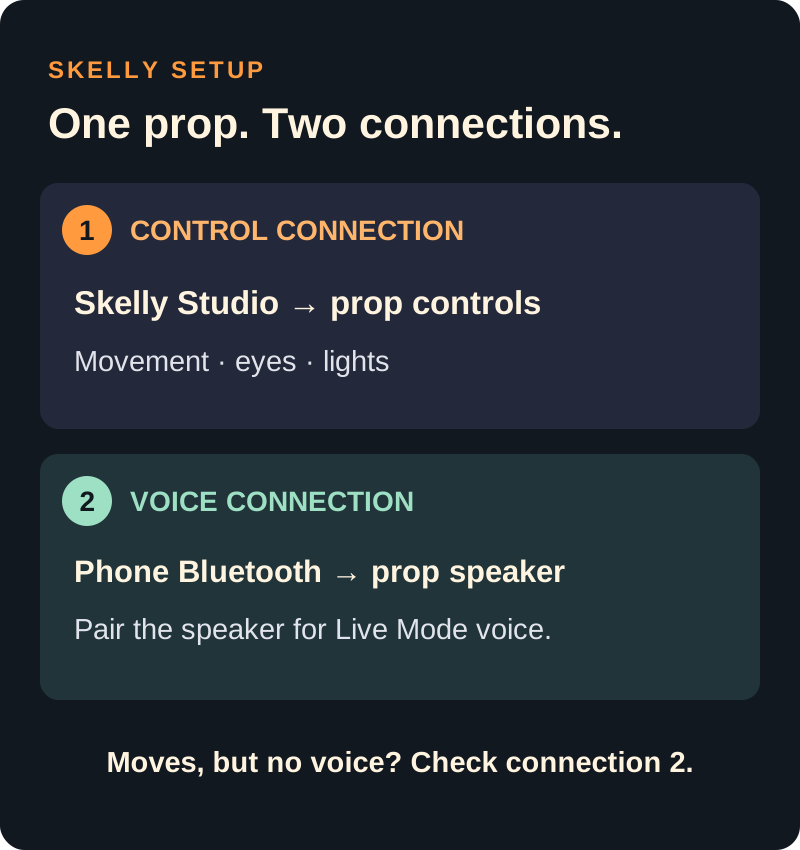
The skeleton is two Bluetooth devices. The control link you just connected handles movement, lights, eyes and the jaw. The voice goes out through a separate Bluetooth speaker inside the prop, and your phone has to pair to that speaker the same way it pairs to headphones, in your phone's Bluetooth settings.
In Skelly Studio, turn on Live Mode. The app shows you the speaker's name, which is the prop's Bluetooth name with "(Live)" on the end, and a button that opens your Bluetooth settings. Pair to that name. Until you do, the AI voice plays out of your phone and the jaw stays still.
Movements work but no sound from the skeleton? The speaker is not paired.
Step 5: try Live Mode
With the speaker paired, pick a character, then type or speak a question. The skeleton answers out loud with its jaw moving in time. Ask Skelly writes the reply with AI. Speak This says exactly what you type. Both use voice minutes.
There are two voices. Fast is the default. Expressive uses the ElevenLabs v3 voice, which can take stage directions like whispers and laughs, and it costs double minutes, so it is only on the two larger Duo plans.
Checkboxes let you allow or lock out movement, eye patterns and LED changes during replies (Pro). Swap the character or the prompt and the same setup can run friendly at 6pm and scary at 9pm. If you own Govee lights, FrightLights can make them react when the skeleton replies (Pro).
The free minutes and the Duo plans
The free plan includes 2 voice minutes to try it. That is enough to hear it work, not enough for a night. Prices as of September 2026:
- Haunted Duo, $7.99 a month: 15 voice minutes
- Haunted Duo Plus, $12.99 a month: 35 minutes, Expressive unlocked
- Haunted Duo Ultimate, $19.99 a month: 70 minutes, Expressive unlocked
Expressive bills 2 minutes for every minute spoken, so 70 minutes of Fast is 35 of Expressive.
One thing to know before you buy: base FrightMaps Pro, the $7.99 plan, unlocks Pro features across the app but does not include voice minutes. It is easy to grab by mistake because it costs the same as Haunted Duo, and I hear from people who did exactly that. If you want the skeleton to talk, pick a Duo plan.
Second thing: sign in before you buy. If you purchase while using the app as a guest, the subscription lands on the guest account. If that already happened, sign in, then go to More > Restore Purchases and it moves over.
How to start
Download FrightMaps on iOS or Android, flip the prop to Bluetooth mode, close the other app, and open More > Skelly Studio. The free 2 minutes are yours to test with before you pay anything. If you want to see the AI side first, the feature page is at AI Skelly.
Give your skeleton a voice 💀
Skelly Studio is in the free FrightMaps app. Pair your Ultra Skelly or Lethal Lily over Bluetooth, try the AI voice with the free minutes, and pick a Duo plan when you want it to talk all night.