
Put your 12-foot skeleton to work for St. Jude
Opt your yard into Skeletons for St. Jude on FrightMaps, earn the yellow map icon and, with a supported prop, add an optional spoken fundraising line.
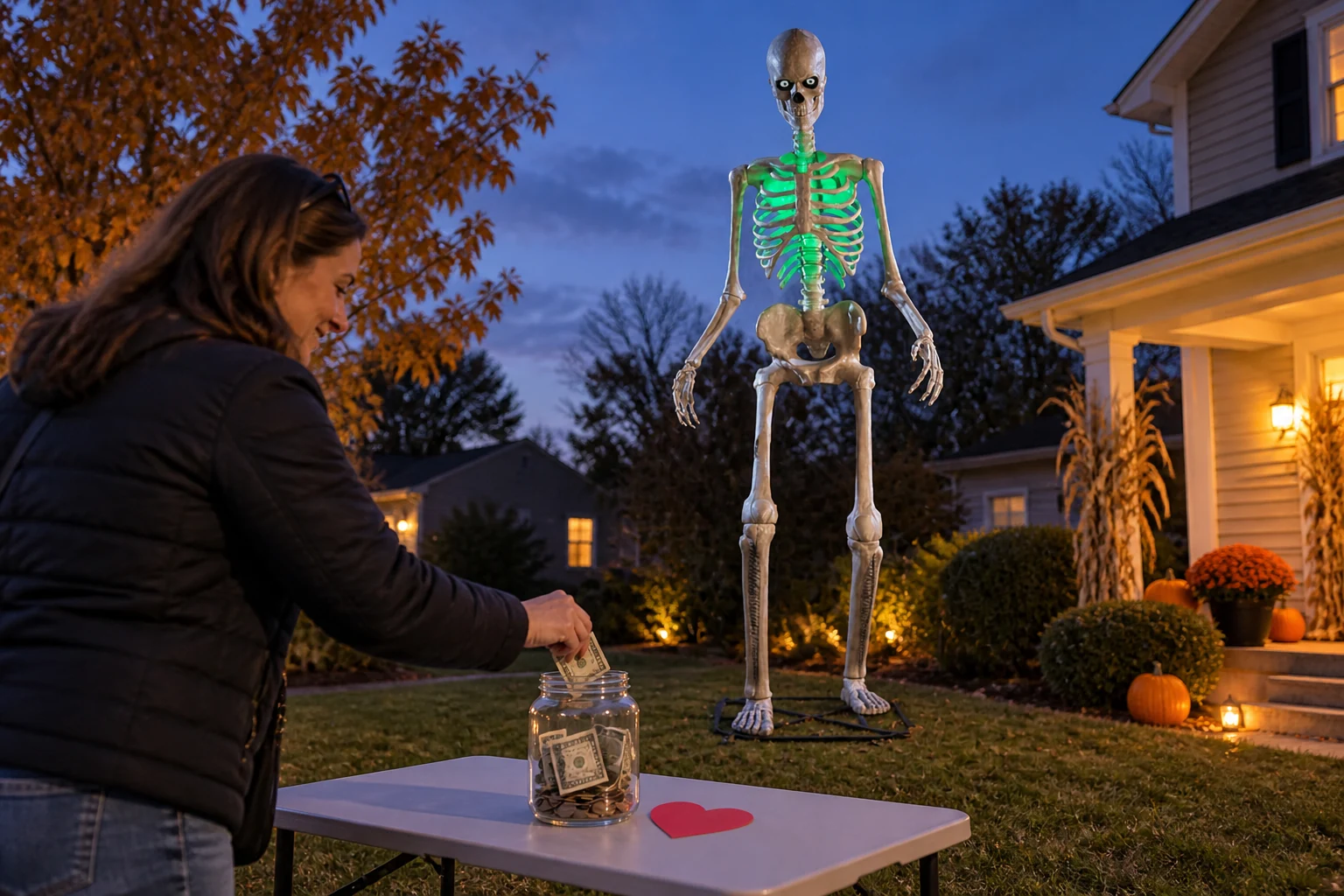
Skeletons for St. Jude is a community fundraising program run by haunters with 12-foot skeletons, raising money for St. Jude Children's Research Hospital. If you have a 12-footer in the yard and a FrightMaps listing, opting in is one toggle and three optional fields on your listing. A talking prop is optional: the fundraiser and map listing do not require Bluetooth or Skelly Studio.
What Skeletons for St. Jude is
The haunters run it, not FrightMaps. Owners of 12-foot skeletons set up a fundraiser, tell visitors about it, and point people to a place to give.
FrightMaps' part is the map. A yard that opts in is checked by the program's reviewer. Once approved you can put the yellow St. Jude skeleton icon on your pin so people driving around Halloween week can spot participating houses. The map filter has a "Skeletons for Saint Jude" checkbox too, so people can pull up only those houses.
The program runs in the fall and resets between seasons, so you opt in again each year.
How to opt in on your listing
You need a listing first. Listing a yard display is free: Profile > add house. If you already have one, open it and tap Edit House.
Scroll to the Charity programs section. You will see:
- Skeletons for Saint Jude toggle. Turn it on. If you type "St. Jude" into your listing text, the app flips it on for you.
- Fundraising goal in dollars. Optional.
- Fundraiser/donation link. Optional, but this is the one that matters. Paste your fundraiser page URL so a supporter can give from their phone.
- Why we support St. Jude. Optional, up to 500 characters. Keep it short and personal.
Save. The app also links to the program's official Facebook group and asks you to get verified there too; you can submit on FrightMaps right away.
Two honest notes. The reviewer is a person, approvals happen in the fall, and I can't promise a turnaround time. If the reviewer marks your house "Not this season," the toggle is cleared and you can turn it back on yourself.
What happens after approval
Once approved, the yellow St. Jude icon is unlocked for your listing. Set it as your house pin in Edit House and that is what people see on the map.
Let the skeleton do the asking
A sign in the yard works with any display. The optional spoken-line setup below is for the 6.5-foot Ultra Skelly, model 25SV24690, using the SVI Ultra Skelly v2 profile, or the 7-foot Lethal Lily. The 2026 12-foot App-Controlled Skelly, model 26SV25555, is a different product whose FrightMaps compatibility has not yet been verified. A classic non-app-controlled 12-foot Skelly has no Bluetooth control link, but can still support the fundraiser with a sign and map listing.
FrightMaps controls Ultra Skelly and Lethal Lily over Bluetooth. Skelly Studio is under the More tab, and Scan finds a compatible prop in seconds. Check your exact model before trying the optional voice setup.
Two ways to put a fundraising line in the script:
Upload a clip. Record a short line, "Scan the sign to give to St. Jude," and upload it in Skelly Studio (30 seconds max per clip). It plays from the prop like its built-in lines and does not use voice minutes.
Put it in the character. Skelly Studio has an AI character with a character selector and custom prompts. The text comes from Claude and the voice from ElevenLabs. Add one line to the custom prompt, something like "You are raising money for St. Jude; work a thank-you and a nudge to scan the sign into your replies." In Live Mode the skeleton talks back to visitors in real time and can work the fundraiser into its replies when the prompt tells it to. Multi-language replies are supported.
Anything the AI character says uses voice minutes, Live Mode included. The free plan includes 2 minutes to try it. Haunted Duo is $7.99/mo for 15 minutes, Haunted Duo Plus is $12.99/mo for 35, and Haunted Duo Ultimate is $19.99/mo for 70. Expressive Mode (ElevenLabs v3) adds whispers, laughs and dramatic delivery, bills 2x, and is only offered on Duo Plus and Duo Ultimate. One thing that trips people up: base FrightMaps Pro ($7.99/mo) unlocks Pro features but includes no voice minutes. For voice, pick a Duo plan.
For Ultra Skelly, Skelly Studio also lets you choose what the AI may do on a reply: animate movements, change eye patterns, change LED lighting. Available controls depend on the prop profile; Lethal Lily does not have Ultra Skelly's LCD eye patterns. A separate Performance effects list picks which voice effects it may use (whispers, laughs, sound effects; Expressive Mode only). Turn the scary ones off for the early trick-or-treaters and on after the little kids go home.
Setup notes, from the support tickets I get:
- The skeleton is two Bluetooth devices. The app takes the control link. For voice, pair the prop's speaker in your phone's Bluetooth settings like any speaker. Movement works but no voice means the speaker is not paired.
- Switch the prop to Bluetooth mode, not Try Me or sensor mode, and close the skeleton's own app. Only one app can hold the connection. Scan finds nothing means one of those two.
- FrightMaps needs Bluetooth permission on your phone.
- Bought a plan while signed in as a guest? Sign in, then More > Restore Purchases.
Skelly can't yet fire FrightLink props or start light shows.
Full feature rundown: Give Your Ultra Skelly Something to Say and the AI Skelly feature page.
How to start
- Download FrightMaps for iOS or Android and sign in with a real account, not as a guest.
- Profile > add house, or Edit House on the listing you already have.
- Charity programs > Skeletons for Saint Jude on. Add your fundraiser link, goal and story. Save.
- Watch for approval this fall, then set the yellow icon as your pin.
- Optional, with a supported prop: More > Skelly Studio > Scan, and give the skeleton its line.
Give your skeleton a voice 💀
Skelly Studio is in the free FrightMaps app. Pair your Ultra Skelly or Lethal Lily over Bluetooth, try the AI voice with the free minutes, and pick a Duo plan when you want it to talk all night.